

OwnerRez: How to connect your OwnerRez account to SuiteOp
Learn how to seamlessly integrate your OwnerRez account to SuiteOp with these detailed instructions. From initiating the connection to adding new properties, this guide will walk you through the process efficiently.
-
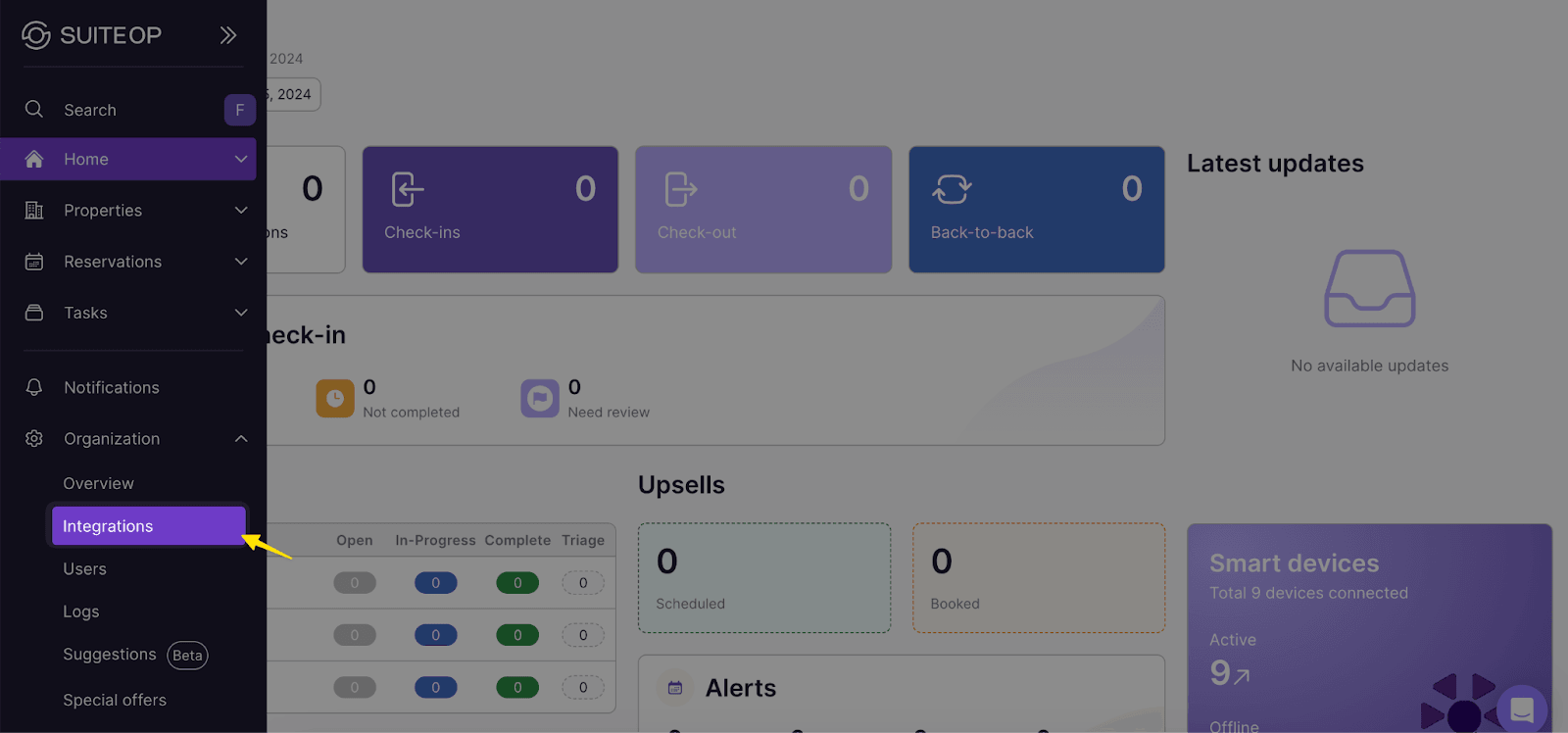
Select the Integrations tab and find OwnerRez
-
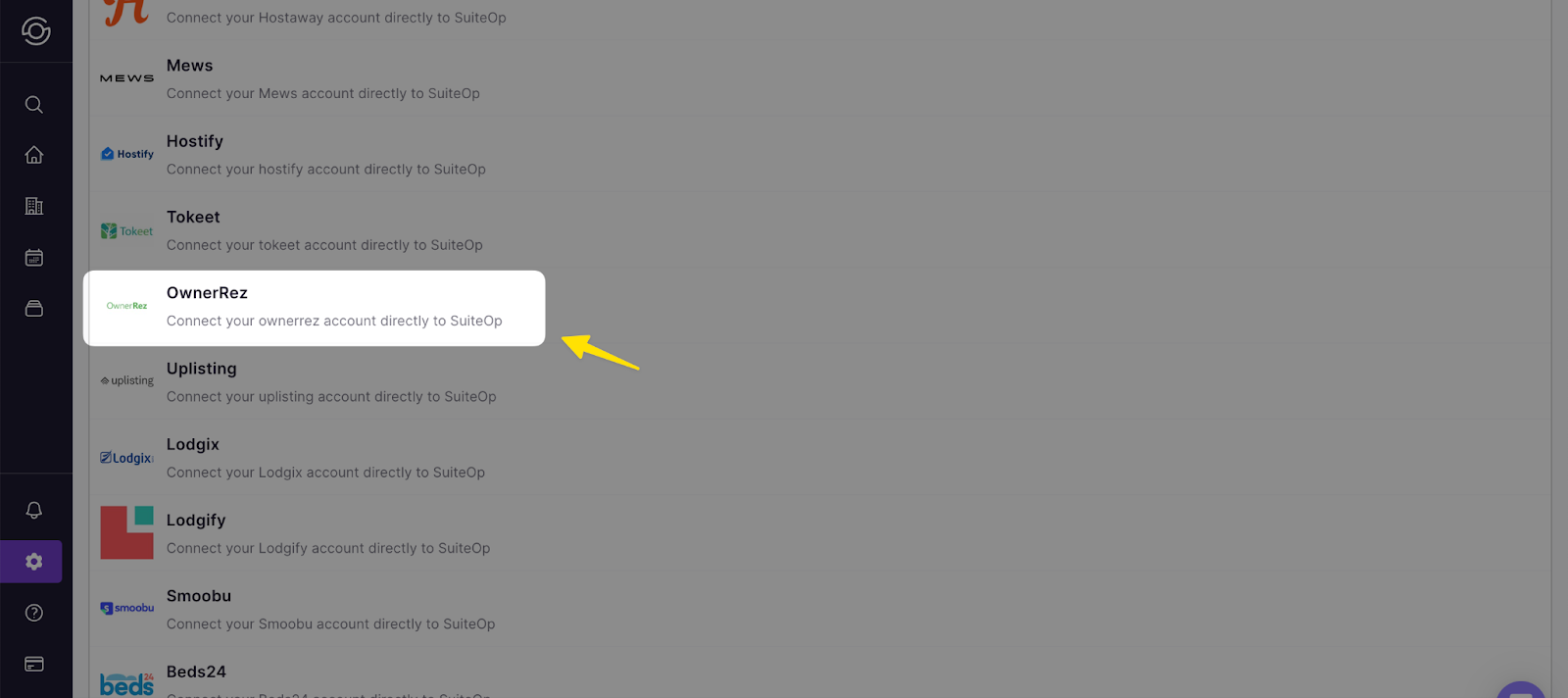
Select OwnerRez from the list
-
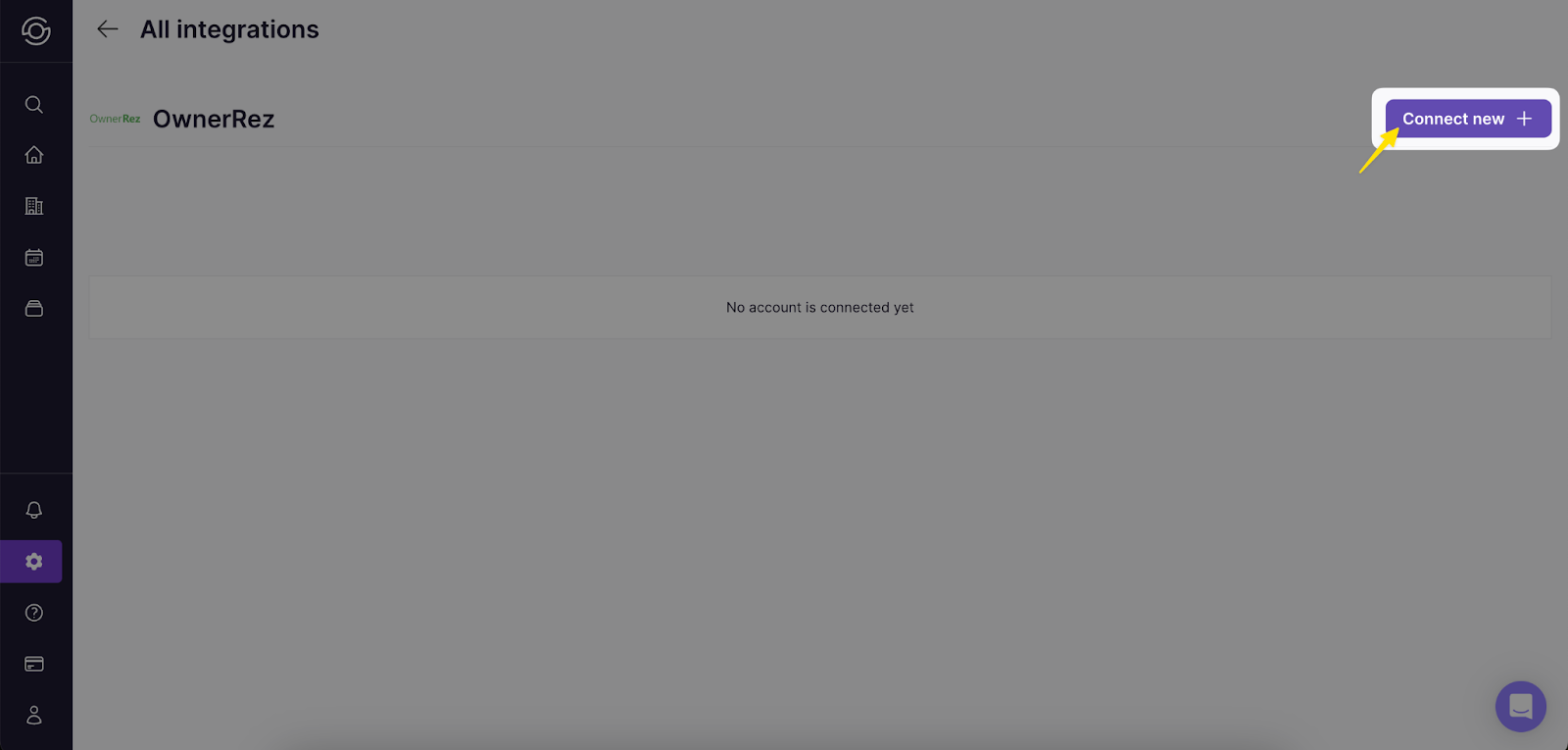
Click Connect new
-
Enter your OwnerRez credentials
The page will be redirected to OwnerRez, if not logged in enter your credentials here.
-
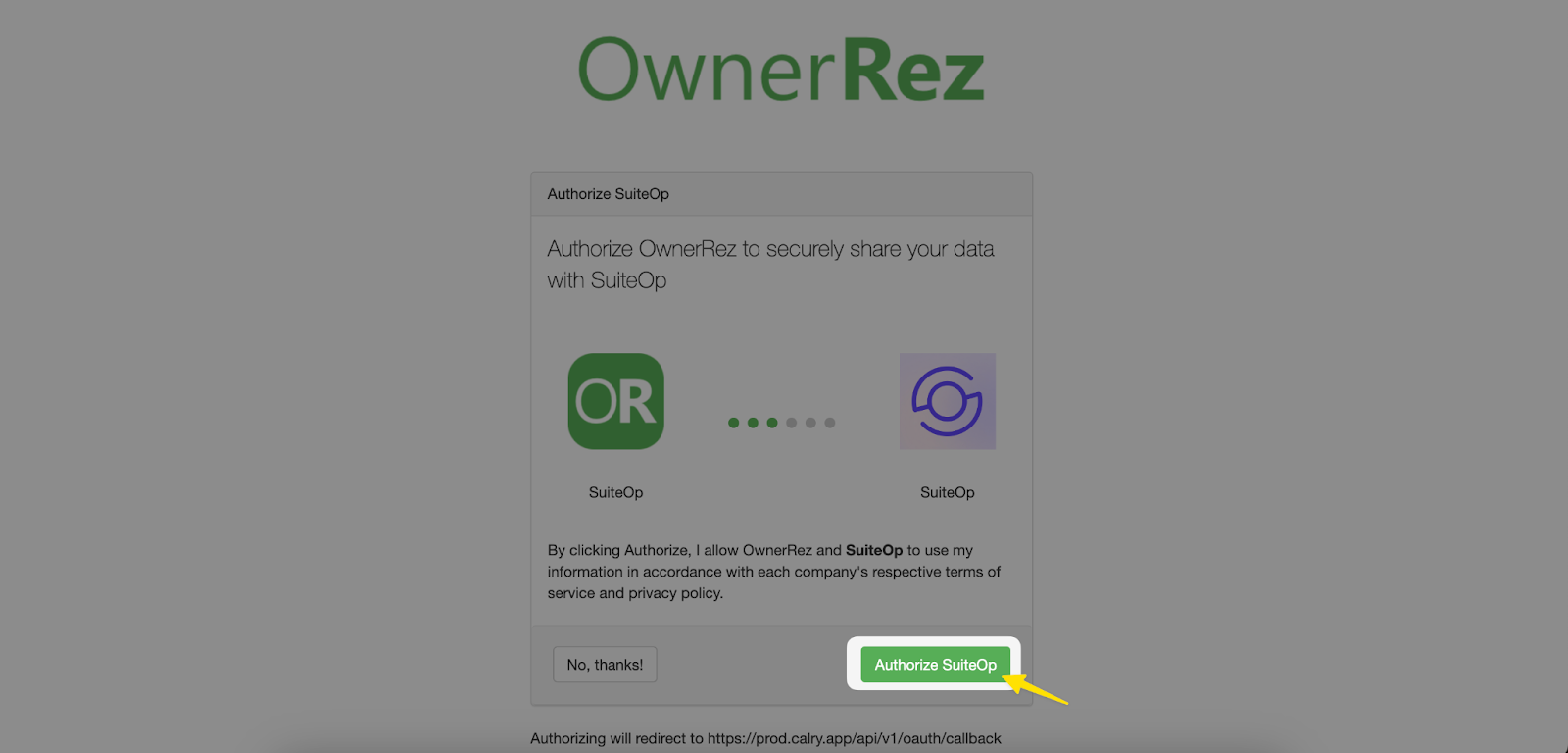
Click “Authorize SuiteOp” to approve the connection
-
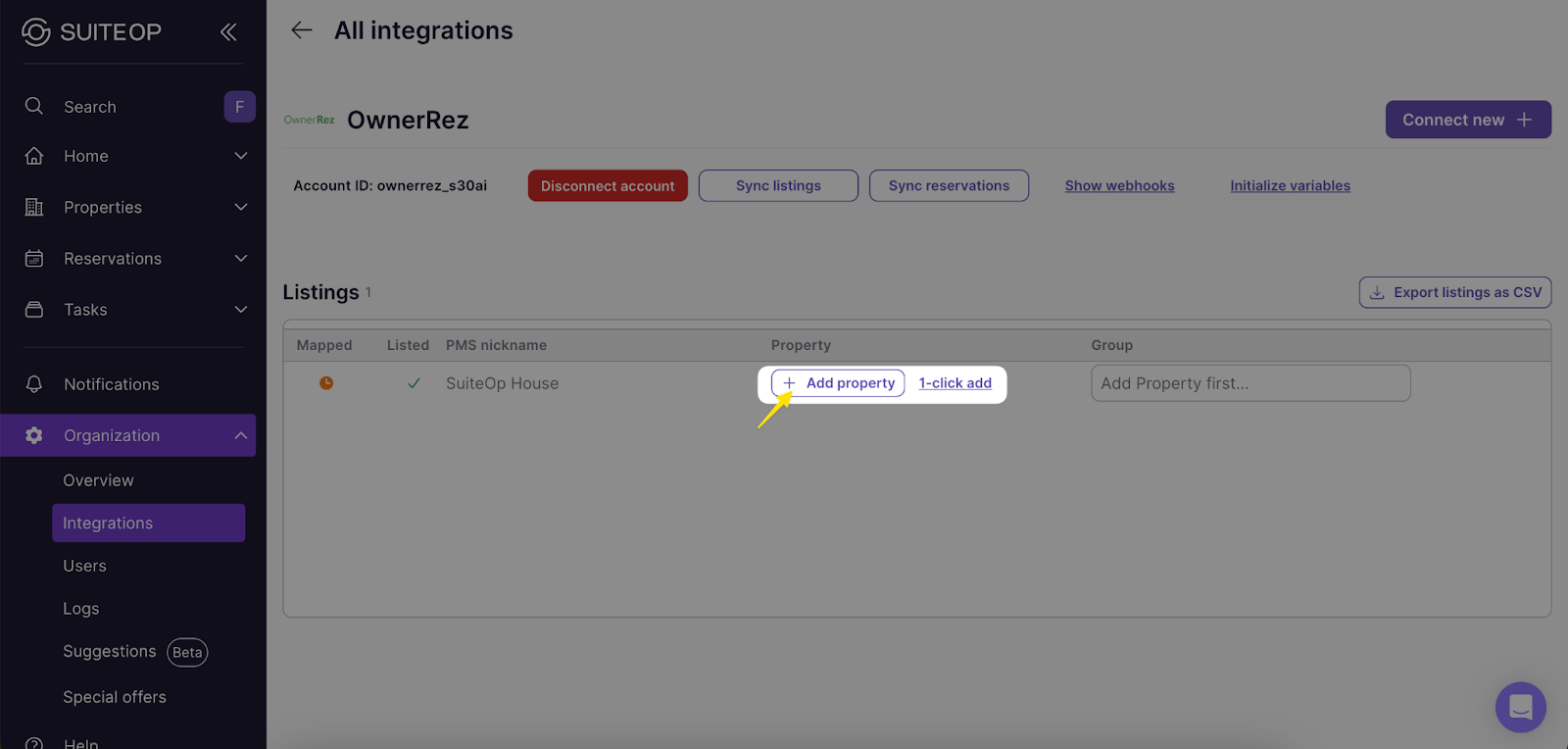
Import your listings
To import listings from your OwnerRez account, click the “Sync Listings” button. Available listings will appear then click “Add property” to start the mapping process, alternatively you can click “1-click add”.
You’re ready to get started! Your listings will now be available in SuiteOp where you can easily provide elevated guest experiences using guest portals, smart device connections, and task management.