

Workflow Triggers: Review
Workflow triggers are automated actions that are initiated based on specific events or conditions, such as receiving a guest review. These triggers can help streamline processes, like sending follow-up messages, updating guest records, or notifying team members to take further action, ensuring a seamless and efficient workflow.
-
Go to Workflow.
-
Click on + Add New.
-
Select Start from Scratch.
-
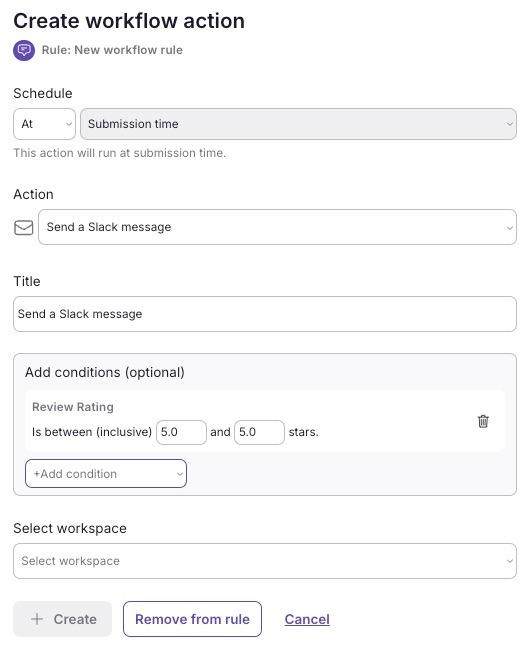
Choose Review.** Positive review** Send a message to Slack/Email for 5 star reviews
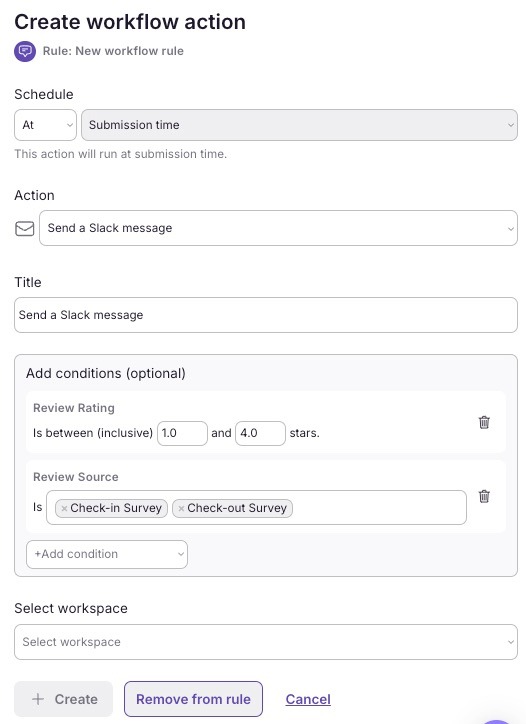
Negative review Configure a trigger to alert the team if a guest submits a negative review through the check-in or check-out survey on the SuiteOp portal. This will help assess the likelihood of the guest leaving a positive or negative review on the rental platform they used for booking.
- You can assign by group, tag, and specific properties where you want the workflow to apply.