Property Tags
What are property tags in SuiteOp?
Section titled “What are property tags in SuiteOp?”Property tags are useful pieces of metadata connected to each property. These are originally pulled from your PMS directly (if supported) and can then be edited through SuiteOp to improve your property management. Tags are useful as filters on certain pages throughout the platform.
How can you set up or edit property tags?
Section titled “How can you set up or edit property tags?”To edit or create new property tags you’ll want to open a property and go to Settings > Property. These are initially pulled from your PMS, but can be modified in SuiteOp directly.
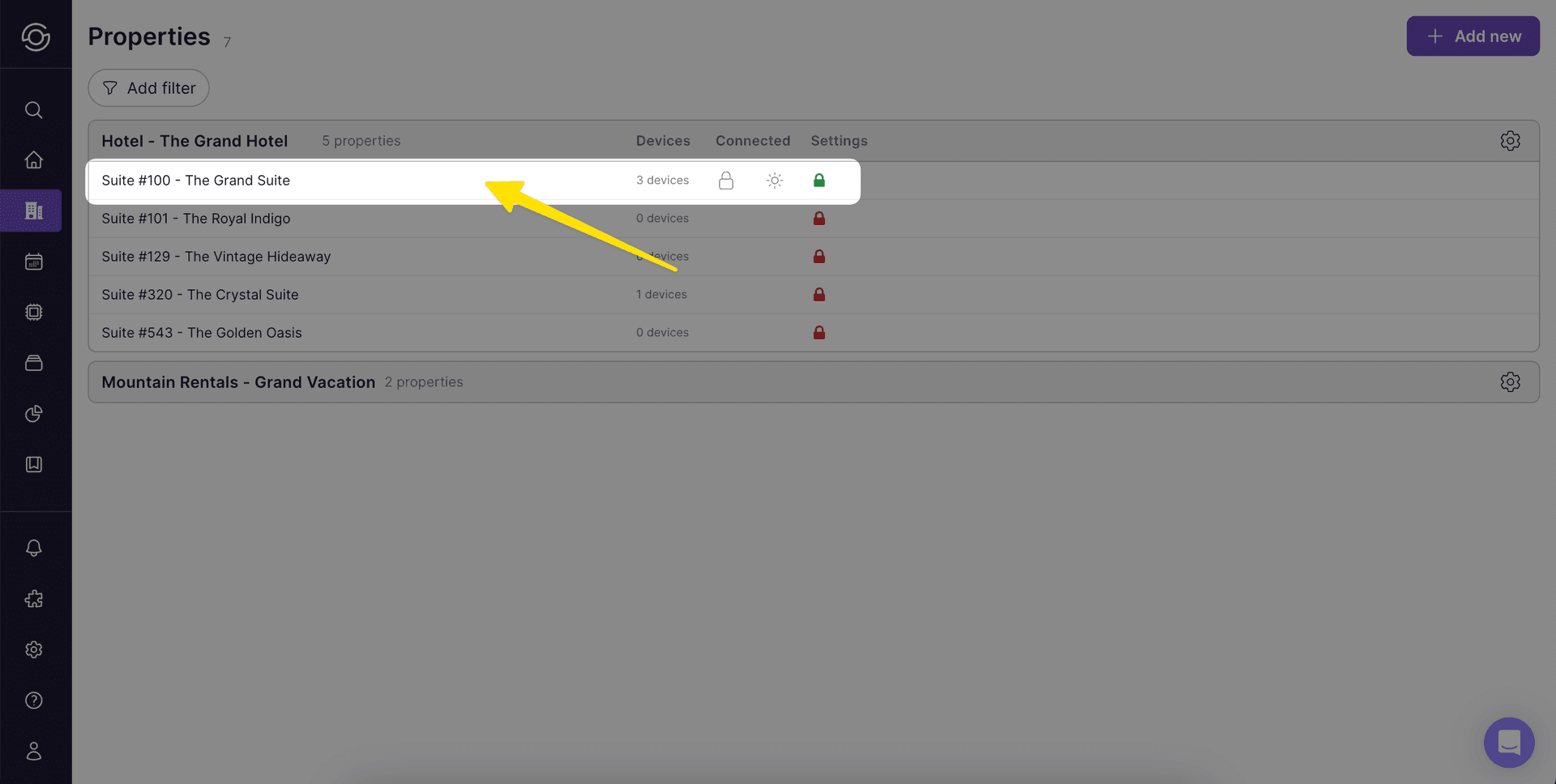
1. Go to a Property from Property > Units
Section titled “1. Go to a Property from Property > Units”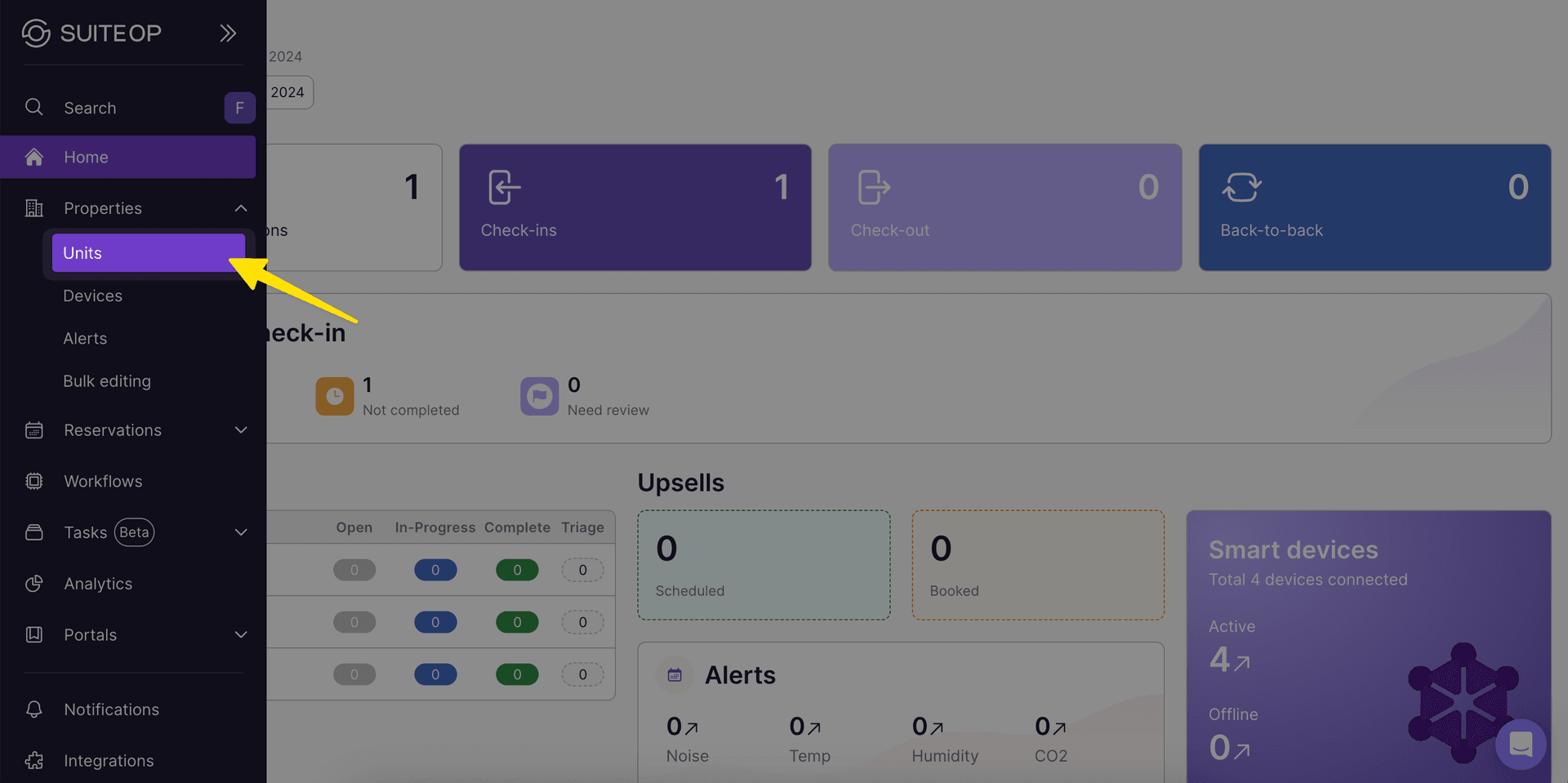
2. Click Settings
Section titled “2. Click Settings”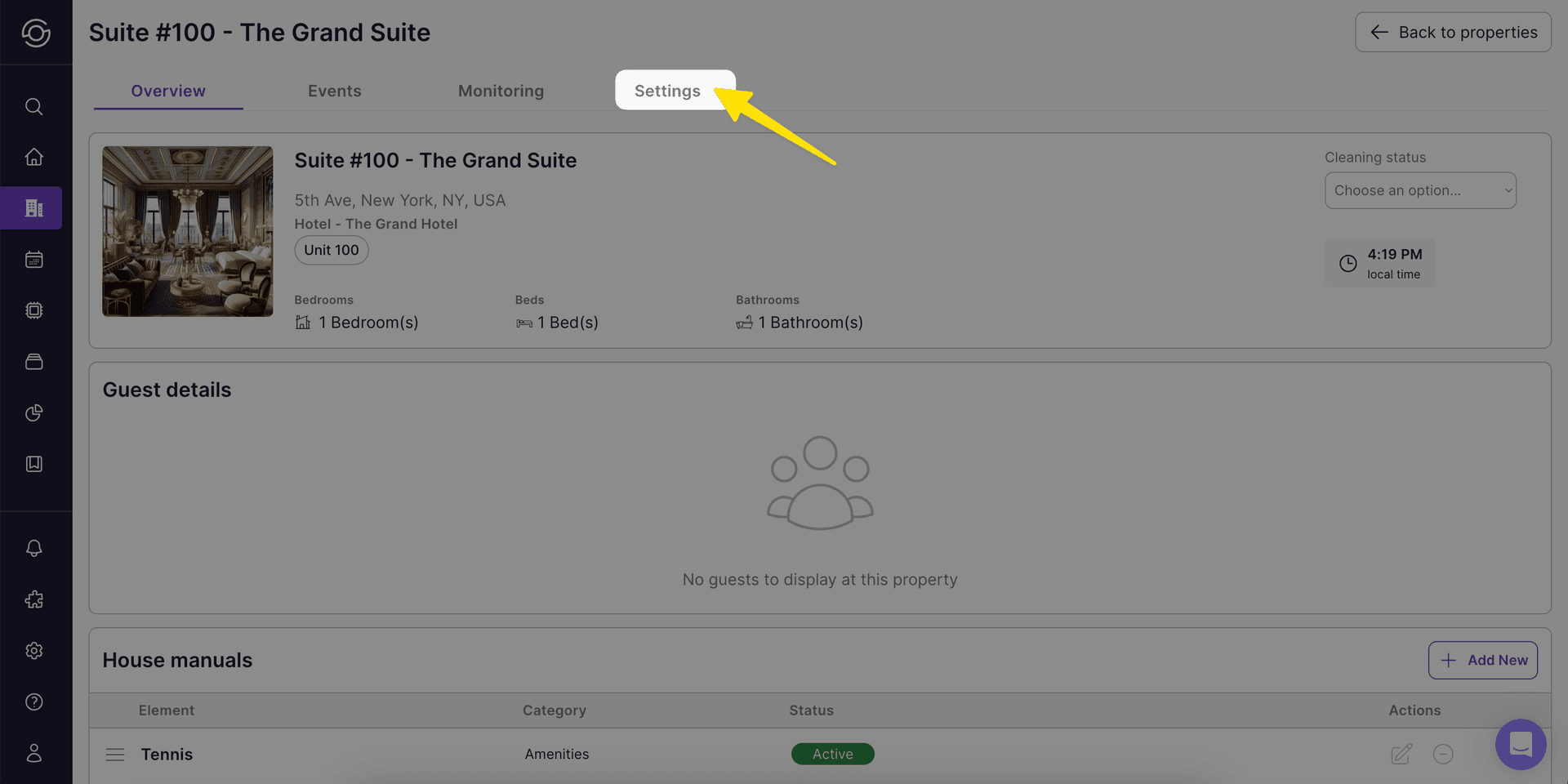
3. From the Property Settings select Manage tags
Section titled “3. From the Property Settings select Manage tags”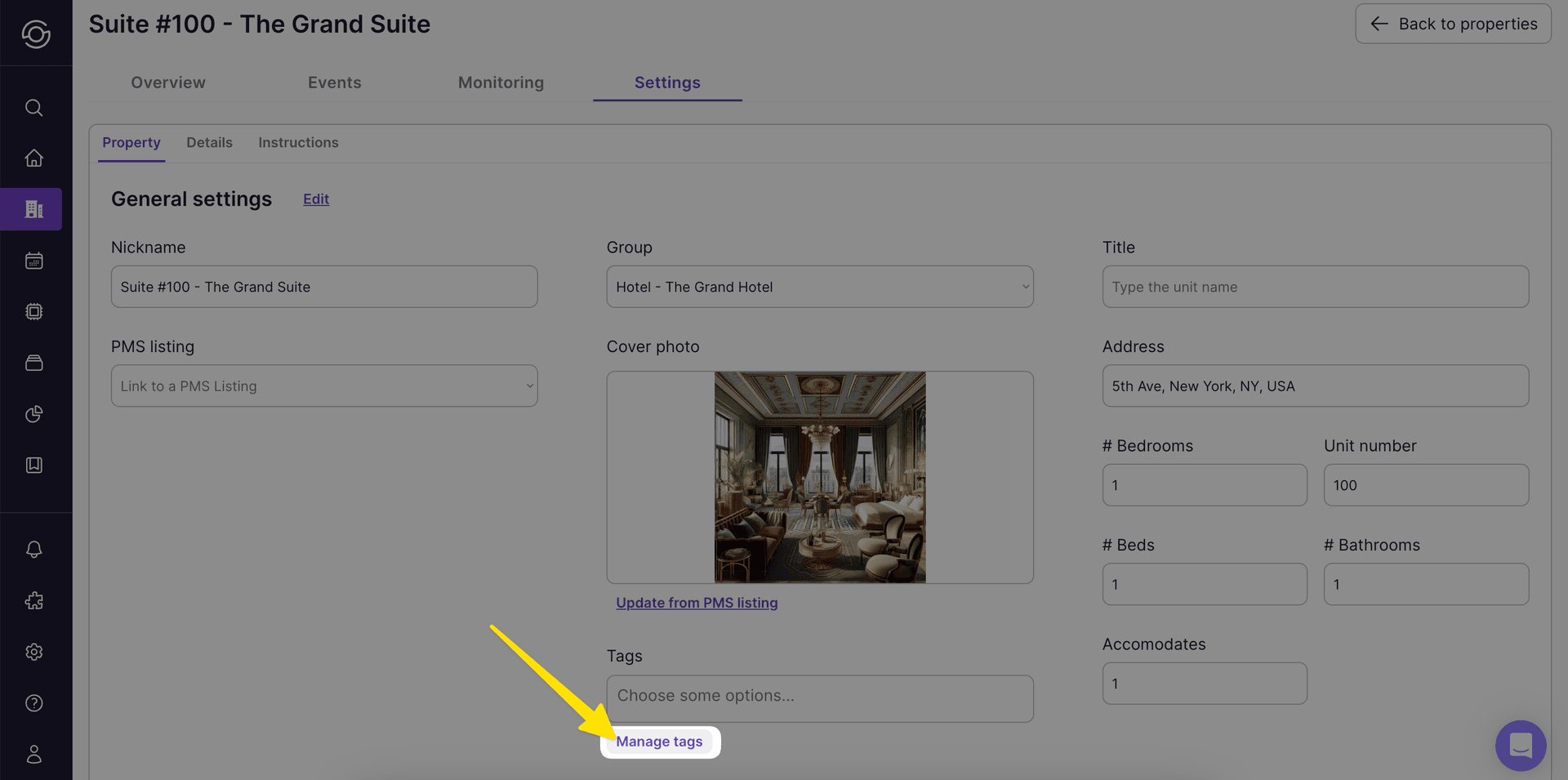
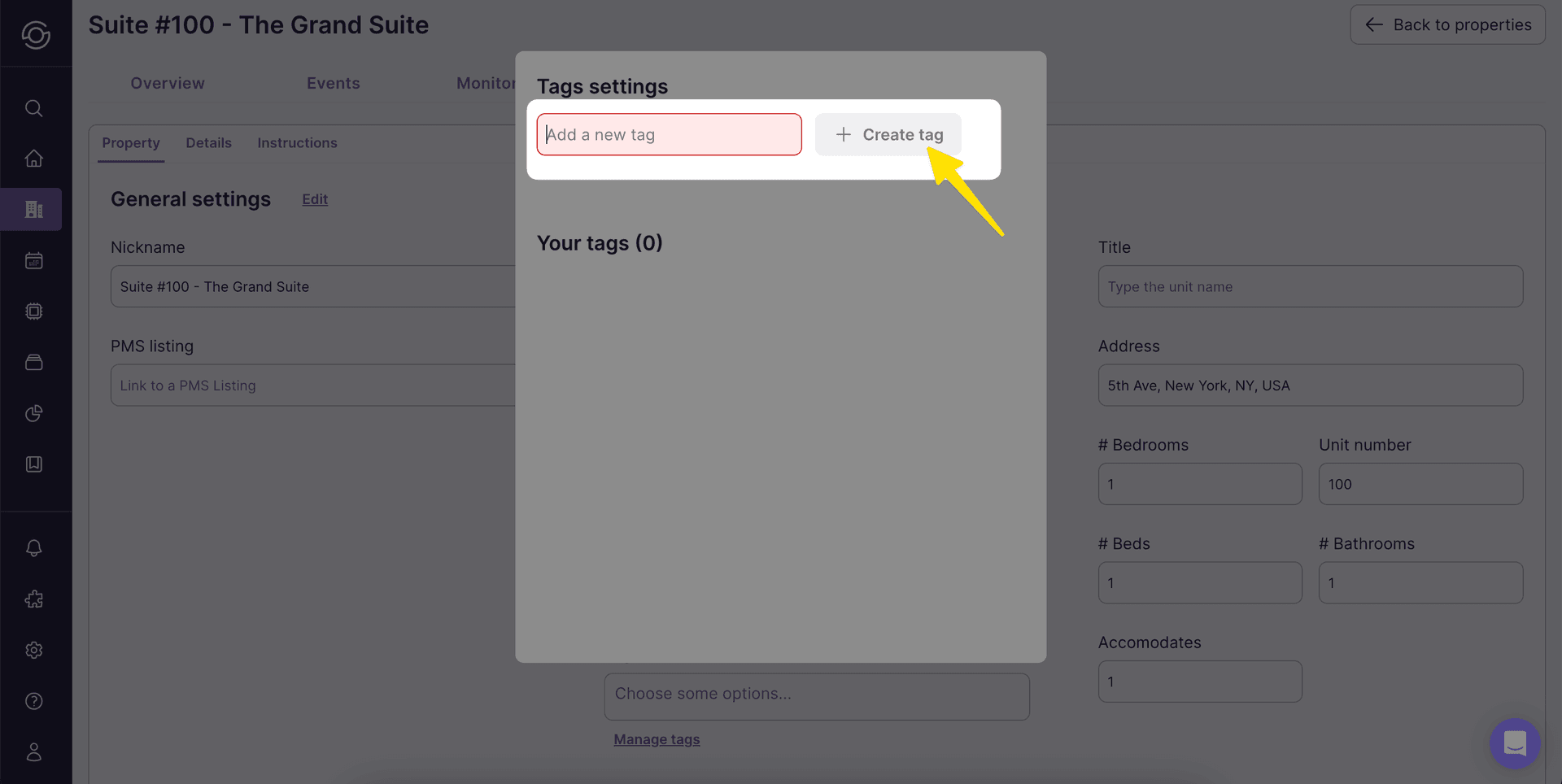
4. Add a tag name and click + Create tag
Section titled “4. Add a tag name and click + Create tag”