Using Noshable Grocery Delivery in SuiteOp
Noshable is a grocery concierge solution for vacation rentals. You can easily integrate your Noshable account into your SuiteOp Guest Portal help your guests stock the fridge and earn commission through Noshable.
-
Set up an account with Noshable
Head to https://www.shopnoshable.com/ to create an account if you haven’t already!
-
Get your Noshable property link
Noshable will provide a property specific link for you to use to direct guests to order groceries. This link will prepopulate the address and the guest information, making it easy for your guests and trackable for your commission. You’ll need this link to use in SuiteOp.
-
Create a Noshable upsell in SuiteOp
In your SuiteOp account head to the Upsells page in Portal Settings. Here you’ll click +Add new and choose** Noshable** from the template list. Give the new upsell a name and save. Customize the upsell title, description, and image as desired.
-
Populate the Upsell with your unique URL
In the Upsell settings section, click into the external link field and edit the placeholder number to be your unique string. The correct link will be your Noshable link with the variable
#{{reservation_code}}on the end as shown below.https://app.shopnoshable.com/#/r/**123456789**/#{{reservation_code}}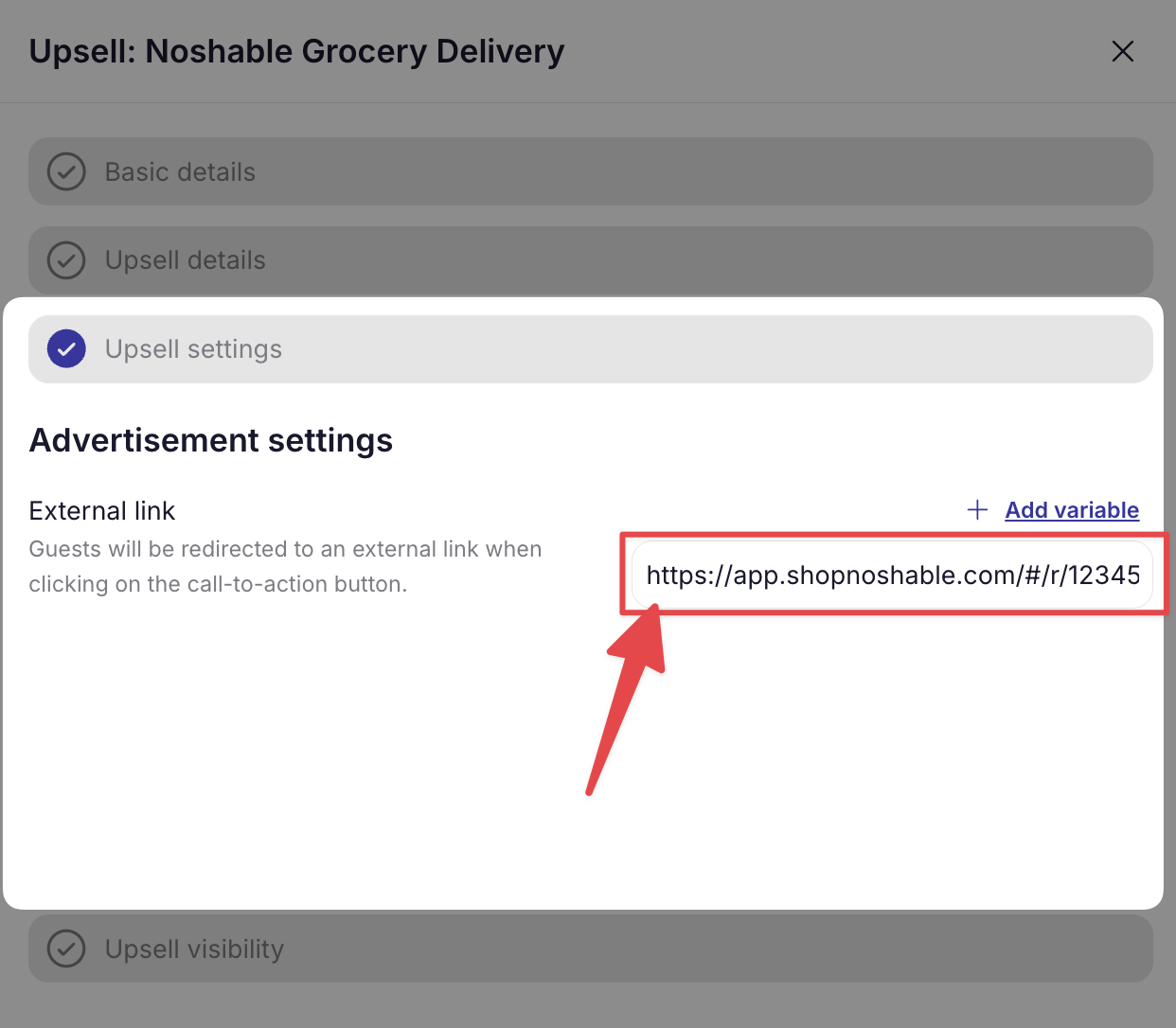
-
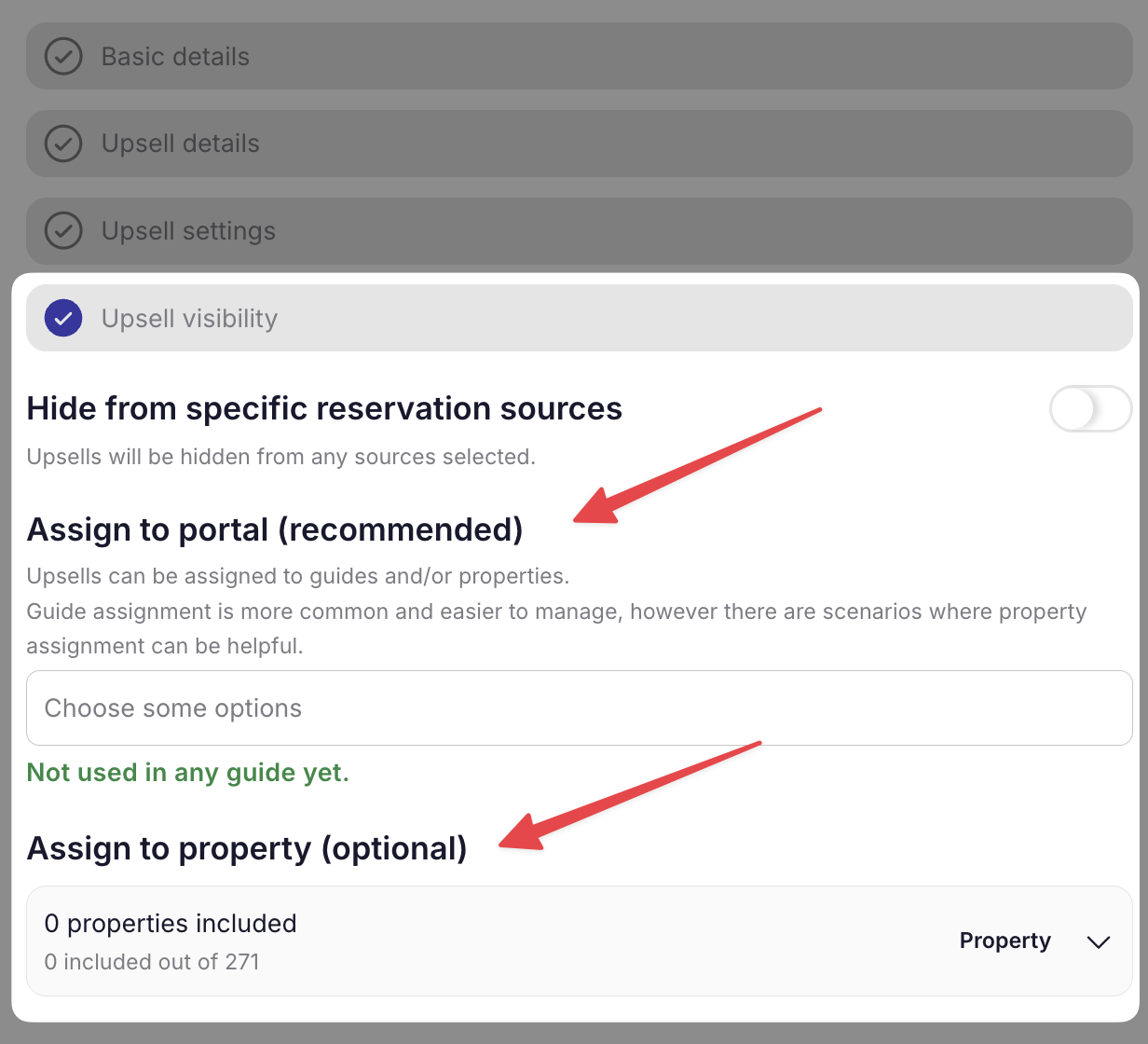
Assign the Upsell to the correct property
In the Upsell visibility section, assign the new upsell to the corresponding portal or property. You may need to make more than one Noshable upsell.